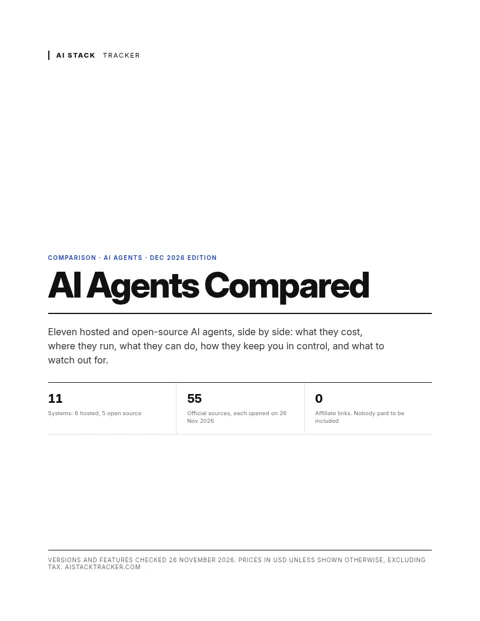
AI agents compared: 11 hosted and open-source agents, side by side
The 60-second answer
- Already pay for X Premium, ChatGPT Pro or a Claude plan? You already have an agent: Grok Bot, a dot, or Cowork. Try that before you buy anything[1][10][12].
- In the US and want to spend nothing? Start with Tasks in Gemini, which began rolling out free on Nov 17[18][17].
- Want open source without running a server? Hermes Agent is the only one here with an official hosted option[33][36].
- Want the widest chat-app coverage and don’t mind running it yourself? OpenClaw[37].
- Team that needs admin controls and a BAA? Lindy Enterprise lists SSO, SCIM, audit logs and HIPAA[29].
How to read this page: every cell links to the vendor’s or project’s own page, opened on Nov 26, 2026. “Not verified” means we couldn’t confirm it on an official page. It doesn’t mean the feature is missing.
1. What it costs
| System | How you pay | Cheapest way in | Higher tiers |
|---|---|---|---|
| Hosted | |||
| ChatGPT dots | Not sold on its own. The pricing page lists dots on Pro and on Business Premium; OpenAI’s help page also says Business Standard seats and a gradual Plus rollout[11][10] | Pro from $100/mo, with a choice of 3 usage tiers[11]. Plus ($20) only if the gradual rollout reaches your account[10] | Pro $200 and $500 tiers (from OpenAI’s help page; the pricing page shows only “From $100”)[9]. Business Premium seat $125/mo, or $100 billed yearly; Standard $25 monthly or $20 yearly[11] |
| Claude Cowork | Included in paid Claude plans: Pro, Max, Ultra, Team and Enterprise[12] | Pro $20/mo, or $17/mo billed yearly[16] | Max $100, Ultra $200; Team seats $25 and $125[16] |
| Grok Bot | Included in The X Subscription. One usage pool, shared with Grok and Cursor[1], that resets weekly[6] | Premium $30/mo, or $25/mo billed yearly. Free and Plus ($8) don’t include Grok Bot[1][5] | Super $100/mo, Ultra $200/mo; Team seats from $30/user[1] |
| Lindy | Credits per active user, pooled across the team[29] | $50 of free credits for 7 days[29] | Team: $29.99 or $49.99/mo per active user (Lindy is testing both prices), with 3,000 or 5,000 credits to match. Top-ups $10 per 1,000[29][31] |
| Manus | Monthly credits[20] | Free: 300 credits a day, 1 task at a time, 2 scheduled automations[20] | Pro from $20/mo (4,000 credits) or $40/mo (8,000), and Team from $20/seat. 17% off yearly[20] |
| Tasks in Gemini (formerly Gemini Spark) | Free in the US, Canada, Australia, Japan, South Korea and India. Elsewhere it needs Google AI Pro or Ultra[17] | $0 in those six countries[17]. Otherwise Google AI Pro at $19.99/mo[19] | Google AI Ultra $99.99 or $199.99/mo[19] |
| Open source | |||
| goose | Free (Apache-2.0); you bring the models[41] | $0 plus your own model costs[41] | None found |
| Hermes Agent | Software is free (MIT). Optional Nous Portal plans bundle model usage, hosted tools and one Hermes Cloud agent[33] | $0 plus your own model costs; Nous Portal Free is pay-as-you-go on free models[33] | Nous Portal Plus $20, Super $100, Ultra $200 a month, each with one always-on cloud agent[33] |
| NanoClaw | Free (MIT)[50] | $0 plus your own model costs | None found |
| OpenClaw | Free (MIT). “No subscription. No hosted tier.” You pay for your own hardware and models[36] | $0 plus your own model costs[36] | None; no paid version[36] |
| ZeroClaw | Free (MIT or Apache-2.0)[49] | $0 plus your own model costs | None found |
2. Where it runs and which models
| System | Runs on | Models | Self-host |
|---|---|---|---|
| Hosted | |||
| ChatGPT dots | OpenAI’s cloud. Each dot has “its own computer”[10] | Pro reasoning runs on GPT-6 Astra[11]. Which model the dot itself uses: Not verified | No |
| Claude Cowork | Anthropic’s cloud. Since Oct 6, 2026, new tasks on Pro, Max and Ultra run in the cloud, and Team and Enterprise can also run locally[12] | Claude (Anthropic) | No |
| Grok Bot | A cloud computer with a desktop, browser and terminal, run by the vendor. Apps for desktop and phone[8] | Latest Grok models on Premium. Third-party models in Cursor are billed separately[1] | No self-host option in the docs we read |
| Lindy | Lindy’s cloud | You choose the model for each task[29] | No |
| Manus | Manus’s cloud: a sandbox computer with internet access and its own files[21] | Manus’s own modes (Manus 2.0, Max, Lite), or your own API key from OpenAI, Anthropic, Google, xAI, OpenRouter and others with Manus Flex (beta)[25] | No |
| Tasks in Gemini (formerly Gemini Spark) | Google’s cloud with a remote browser, or your own Chrome on desktop[17] | Runs on Google’s “Hydrogen 4” model for the free rollout[18] | No |
| Open source | |||
| goose | Desktop app (macOS, Linux, Windows) or CLI on your computer[41] | 85+ providers, or local models in-process[41] | Yes |
| Hermes Agent | Your own computer or server, or Hermes Cloud (a container per agent)[33] | 200+ models through Nous Portal, or bring your own provider[33] | Yes |
| NanoClaw | Your machine, with each agent in its own Linux container[50] | Claude by default, or Codex, Cursor or OpenCode[50] | Yes |
| OpenClaw | Your own computer or server. Desktop apps for macOS, Windows and Linux[36] | Your own provider keys or local models (“Your models”)[36] | Yes (only option) |
| ZeroClaw | One Rust binary on your own machine or server[49] | Anthropic, OpenAI, Ollama and about 20 others[49] | Yes |
3. What it can do
| System | Browser / computer use | Schedules & background work | Memory | Multi-agent | Where you can reach it | Your tools |
|---|---|---|---|---|---|---|
| Hosted | ||||||
| ChatGPT dots | Yes, on its own computer[10] | Keeps working between conversations, and runs scheduled tasks[10] | Keeps its own memories, separate from ChatGPT memory[10] | Delegates work to ChatGPT Work and Codex threads[10] | ChatGPT apps, and you can phone your dot[10]. Slack or Teams: Not verified | Uses the apps you connect[10] |
| Claude Cowork | Browses the web. Computer use is in beta on Team and Enterprise[13][12] | Scheduled tasks run with no device online[12] | In the cloud, Cowork shares one memory with your Claude chats, and you can turn memory off per task. Local sessions don’t use memory[15][14] | Breaks complex work into subtasks and can run several sub-agents in parallel[14] | Claude desktop, web and mobile apps, and the Claude in Chrome side panel[12] | Your connected apps and folders[13] |
| Grok Bot | Yes. Uses apps, browses and runs code on its cloud computer[8] | Routines on a schedule, or triggered by Slack, GitHub or email[8][3] | Each Bot keeps its own memory. There’s no memory screen, so you ask it in chat[4] | Bots message each other, hand off work and share group chats[5] | Grok Bot app, X Chat (rolling out), tagging @bot on X (not UK, EU, Australia, Iceland, Liechtenstein or Norway), your own Slack DM, its own email address. Team Bots also work in Slack channels and Microsoft Teams[5][6][7][3] | Connector catalog, plus any MCP server by URL or command[3] |
| Lindy | Computer use, but the page conflicts on which plans get it[29] | Scheduled routines[29] | Persistent workspace context[29] | Not verified | Slack threads, and texting over iMessage[29] | 3,000+ integrations, plus MCP[29] |
| Manus | Yes, in its cloud computer. The Manus Studio desktop app (macOS, Windows) adds computer use on your own machine[21][24] | Automations on a schedule or when something happens in a connected app. Free includes 2[28][20] | Projects carry a master instruction and a knowledge base into every new task. We found no automatic memory across chats[23] | Parallel Tasks splits a goal into separate tasks; Wide Research runs many agents inside one task[22] | Tag @manus in Slack threads, or forward and CC email to your own Manus address[26][27] | Connectors for Gmail, Notion, Slack, GitHub and more[21] |
| Tasks in Gemini (formerly Gemini Spark) | Yes. A remote browser, or Chrome on your desktop. The Gemini Mac app also has computer use (US, paid plans)[17][18] | Schedules for ongoing tasks[17] | Draws on Personal Intelligence, your chats and connected apps[17] | Not verified | Gemini apps. In the US you can also text it from Google Messages or iMessage, or email [email protected][18] | Google apps and connected third-party apps[17] |
| Open source | ||||||
| goose | Built-in Computer Controller extension for web interactions, scraping and app control (macOS UI automation)[46][45] | Run saved recipes on a schedule, in the background, from goose Desktop[43] | Built-in Memory extension remembers preferences you teach it; Chat Recall searches past sessions[45] | Subagents run tasks in parallel in separate instances[42] | Desktop app and CLI. We found no chat-app channels; remote access (“roaming”) is an experimental build-from-source option[45] | MCP extensions[41][45] |
| Hermes Agent | Yes. Cloud browser on paid Portal plans[33] | Cron jobs run by the gateway[34] | Persistent memory that stays with the agent[33] | Parallel subagents[33] | 20+ chat apps, including Telegram, Discord, Slack, WhatsApp, Signal, SMS, email, iMessage and Microsoft Teams[34] | MCP servers, with credential filtering[35] |
| NanoClaw | Not verified | One-off or recurring scheduled tasks, manageable from chat[50] | Each agent has its own memory[50] | Agents create other agents from templates[50] | Slack (an app per agent) and other messaging apps[50] | MCP tools and skills, bundled into agent templates[50] |
| OpenClaw | Yes, including handing a browser tab back to you for logins and 2FA[40] | Background gateway service and scheduled “scribes”[40] | Memory, plus an opt-in Knowledge vault (v2026.11.10)[40] | Multiple agents with per-agent access profiles and sub-agent guardrails[38] | 30+ channels, including WhatsApp, Telegram, Slack, Discord, iMessage, Signal, Microsoft Teams, SMS and X[37] | Plugins and skills; Gmail, GitHub, browser and more[36] |
| ZeroClaw | Shell, browser and HTTP tools[49] | Cron jobs managed from the dashboard, and event-triggered procedures[49] | Memory you can browse in the dashboard[49] | Not verified | 30+ channels, including Discord, Telegram, Matrix, email and voice[49] | Built-in tools, plus MCP[49] |
4. Safety and watch-outs
| System | Approvals | Isolation | Admin & access | Watch out for |
|---|---|---|---|---|
| Hosted | ||||
| ChatGPT dots | You choose what it can do on its own, review its work and can pause it[10] | Runs on its own computer[10] | Enterprise admins can opt out of dots and manage them per workspace[10] | Not available in the EEA, the UK or Switzerland. Switching from Pro to Plus loses your dot. On Enterprise, billing starts Jan 14, 2027[10]. The pricing page and the help page disagree on which Business seats include dots. OpenAI says that from December plan usage has a shared limit across all of ChatGPT and Codex[11]. |
| Claude Cowork | Modes from Manual (asks before acting) to Skip. You can set a connector tool, such as send-email, to “Always ask” (rolling out). Deleting files always needs your OK[14][13] | Each session runs in an isolated, temporary environment that can’t reach your network[13] | Org owners can turn Cowork, and cloud sessions, on or off[12] | Computer use on your desktop isn’t limited to the folders you connect. On Pro, Max and Ultra you can’t choose to run a task only on your computer[13][12]. In “Skip” mode nothing is checked, and a scheduled task may finish without asking even for an “Always ask” tool[14]. |
| Grok Bot | Allow once / Always allow / Deny cards, plus an independent Auto-review model on risky actions[2] | Work runs on an isolated cloud computer[8]. Files and sign-ins on that computer are shared by all your Bots[4] | Team rules and enforced Auto-review are Enterprise only[2] | Auto-review doesn’t review memory writes[2]. A site you sign into with one Bot is open to every Bot[8]. Usage is shared with Grok and Cursor[1]. We found no WhatsApp or Telegram channel in the docs. |
| Lindy | Per-integration rules: “Require approval” posts Approve and Deny buttons in Slack before a write[30] | Not verified | Enterprise: SSO, SCIM, audit logs, HIPAA with a signed BAA[29] | Lindy is A/B testing its Team price. In our browser checks on Nov 26, the pricing page showed $49.99 for 5,000 credits in 4 loads and $29.99 for 3,000 credits in 1 (fresh incognito sessions), and Lindy’s billing docs list $29.99. Check the price at checkout[29][31]. The page lists “Computer use” on Team and also says “Computer use on Pro and Max”, but no Pro or Max plan is listed[29]. Every active user in the workspace is billed. |
| Manus | Asks you to approve actions such as sending an email, inside each task. On your own computer the default mode, “Approve for me”, auto-approves actions it rates safe[22][24] | Runs in a sandbox environment[21] | Team adds SSO, an opt-out from training on your data, and access control[20] | Manus’s own pricing page didn’t render for us; these figures come from its help center, which says the pricing page is the final word[20]. Studio’s “Full access” mode runs local actions without approval. Manus Flex is in beta[24][25]. |
| Tasks in Gemini (formerly Gemini Spark) | Pauses for your one-tap confirmation before sending or booking[18] | Can work in a separate remote browser, but your local Chrome gives it every site you’re signed into[17] | Personal Google accounts only. Not available with work or school accounts[17] | Google warns that a schedule running while you’re offline may complete an unintended action. Not in the EEA, UK, Switzerland or Nigeria[17]. Google’s pages still say “Spark” in places. |
| Open source | ||||
| goose | Manual and Smart approval modes ask before tools run; optional adversary mode reviews each tool call[44][48] | No sandbox by default. Extensions can run inside Docker containers for devcontainer setups[45] | Admins can restrict which extensions install with an allowlist[47] | Autonomous mode is the default: goose can run commands and change or delete files without asking[44][45]. Subagents are off in the approval modes[42]. Built mainly for work on your own machine, not as an always-on chat assistant. |
| Hermes Agent | Dangerous commands need your approval. Default mode is “smart”, and cron jobs deny by default[35] | Optional Docker or Modal sandbox. Hermes Cloud runs each agent in its own container[35][33] | User allowlists and DM pairing[35] | On Hermes Cloud, model and tool usage is billed on top of the instance[33]. The v0.23.4 notes defer the full changelog to v0.24.0[32]. |
| NanoClaw | No per-action approval layer. It relies on containers and the folders you mount[50] | Container isolation for every agent[50] | Each agent gets only the keys you give it[50] | Needs Docker. Developer-oriented. Setup asks to sign you in to a free partner portal account, with yes as the default[50]. |
| OpenClaw | Exec approvals in “ask” mode[39] | Optional sandboxing; the gateway binds to loopback by default[38] | DM pairing and allowlists[38] | An unconfigured node runs with full access and approvals off. Agents with the message tool can send across conversations and providers by default[39][38]. Two release lines, so check which one you’re on. |
| ZeroClaw | Default “supervised” mode: medium-risk actions need approval, high-risk ones are blocked[49] | Workspace boundaries and command policy; OS-level sandboxes (Landlock, Bubblewrap, Seatbelt or Docker)[49] | v0.9.0: dashboard sign-in through your own OpenID Connect provider, with per-account permission profiles[49] | Pre-1.0. v0.9.0 moves the config to schema version 4, a breaking change. A “YOLO mode” turns the guardrails off[49]. |
5. Scores
We score five things, each from 0 to 5, then weight them. Hosted and open-source systems are scored in separate groups because they solve different problems. There is no overall winner and no “best” badge: a system that scores lower can still be the right pick for you, so use the 60-second answer above and the criteria you care about. The full rubric is in the methodology note below. A capability we couldn’t verify scores 0.
| System | Capabilities (25%) | Setup (20%) | Safety controls (20%) | Cost clarity (15%) | Momentum & support (20%) | Score |
|---|---|---|---|---|---|---|
| Hosted | ||||||
| Manus | 5 | 5 | 5 | 5 | 5 | 5.00 |
| Grok Bot | 5 | 5 | 5 | 3 | 4 | 4.50 |
| Claude Cowork | 4.17 | 5 | 5 | 3 | 4 | 4.29 |
| Tasks in Gemini (formerly Gemini Spark) | 4.17 | 5 | 3 | 5 | 4 | 4.19 |
| ChatGPT dots | 4.17 | 5 | 4 | 3 | 4 | 4.09 |
| Lindy | 4.17 | 5 | 3 | 2 | 5 | 3.94 |
| Open source | ||||||
| Hermes Agent | 5 | 5 | 4 | 5 | 5 | 4.80 |
| OpenClaw | 5 | 4 | 4 | 5 | 4 | 4.40 |
| goose | 4.17 | 4 | 3 | 5 | 3 | 3.79 |
| ZeroClaw | 4.17 | 3 | 4 | 5 | 2 | 3.59 |
| NanoClaw | 4.17 | 2 | 3 | 5 | 2 | 3.19 |
Read the scores with our disclosure in mind. Stan, who runs this site, uses Grok Bot most and also uses Hermes Agent and OpenClaw. They are scored on exactly the same rubric as everything else, and the same rule applies to all eleven: what we couldn’t verify scores 0. Check each system’s watch-outs in Table 4 before treating any score as a recommendation.
What moves the numbers. Hermes Agent scores above OpenClaw only because Hermes Cloud, an official hosted option, earns more on setup and support; without it they tie. OpenClaw has the larger community and more channels[33][36][37]. Among hosted systems, cost clarity separates the subscription bundles (Grok Bot, ChatGPT dots, Claude Cowork) from systems with a $0 way in (Manus, Tasks in Gemini), and cells still marked “Not verified” hold some systems back.
6. Open-source release tracker
The open-source agents ship fast. Hermes and OpenClaw release several times a week. We pull this table from GitHub on a schedule.
| Project | Latest stable | Released | Releases, 30 days | GitHub stars | License | What’s new |
|---|---|---|---|---|---|---|
| Hermes Agent[32] | v0.23.4 | Nov 24, 3:17 AM | 7 | 266,400 | MIT | Browser Webapp; one gateway per machine; spend limits on paid MCP tools (v0.23.0, Nov 5). Approval cards for sandbox requests (v0.23.4). |
| OpenClaw[40] | v2026.11.10 · v2026.10.34 (extended-stable) | Nov 25, 12:42 AM · Nov 25, 8:37 PM | 16 | 395,301 | MIT | Deep Research, the Knowledge vault, browser handoff, and a background service in Quick Start. |
| goose[41] | v1.61.1 | Nov 25, 7:09 PM | 11 | 57,041 | Apache-2.0 | MCP extension operations, MCP server.json import, conversation compaction. |
| ZeroClaw[49] | v0.9.0 | Nov 11, 9:02 PM | 1 | 33,636 | MIT or Apache-2.0 | OIDC sign-in, scoped chat for non-admins, CLI-only server build. |
| NanoClaw[50] | v2026.11.0 | Nov 20, 1:45 PM | 1 | 31,171 | MIT | Per-agent key scoping, agents from templates, Cursor as a provider. |
7. What self-hosting really costs
The software is free. You pay for a server that keeps the agent on, and for the model it calls. Our worked example below is an estimate, not a price. It assumes one task reads 300,000 tokens (80% of them cached) and writes 15,000.
| Input | Price | Our estimate |
|---|---|---|
| Server[52][53] | DigitalOcean 2 GiB / 1 vCPU, $12/mo (1 GiB, $6). Hetzner Cloud from €5.49/mo excl. VAT | Or $0 on a computer you already own, but it’s only always on while that computer is awake |
| Claude Sonnet 5.5[16] | $2 input / $10 output per million tokens; cached reads $0.10 | About $0.29 a task; 100 tasks + $12 server ≈ $41/mo |
| Gemini 3.8 Flash[54] | $0.75 / $3.75 per million; cached $0.075. Doubles to $1.50 / $7.50 on Jan 1, 2027 | About $0.12 a task now, about $0.24 from Jan 1; 100 tasks + $12 server ≈ $24/mo now |
| OpenRouter[55] | Provider list price, plus a 5.5% fee when you buy credits (Standard) | Adds 5.5% to the model line |
Not included: your own time for setup, updates and security. Paid agents bundle that into the subscription.
Coding agents (not scored)
Coding agents are a different job, so we don’t score them here. OpenHands is the leading open-source one: MIT, v1.46.0, released Nov 25, 2026[51]. Several systems above hand coding off to a dedicated tool. Grok Bot sends work to Cursor cloud agents[8], a dot delegates to Codex threads[10], and the Gemini Mac app includes Google Antigravity[18].
Methodology
- Capabilities (25%). Six checks: browser or computer use, runs on a schedule or in the background, memory across chats, multi-agent or delegation, reachable in chat apps beyond its own app, connect your own tools (mcp or connectors). Score = checks documented ÷ 6 × 5.
- Setup for a non-developer (20%). The best documented path: 5 = sign up in a browser (includes an official hosted option); 4 = desktop app installer; 3 = one-line terminal installer; 2 = needs Docker or a server you manage.
- Safety controls (20%). Up to 2 points for per-action approvals (1 if it only has permission settings), up to 2 for an isolated or sandboxed environment (1 if optional), and 1 for admin or access controls.
- Cost clarity (15%). 5 = a $0 way in and every price published; 3 = published prices but no free entry; 2 = trial only.
- Momentum and support (20%). Hosted: 5 = available, no rollout limits; 4 = parts rolling out or region-limited. Open source: up to 2 points for releases in 30 days (≥4 = 2), up to 2 for GitHub stars (≥100,000 = 2, ≥30,000 = 1), and 1 for an official paid support or hosting option.
- Affiliate status is not an input. Nothing on this page pays us.
Also tracked, not scored here: Genspark and Hark Pro (see their tool pages). On the open-source watch list: nanobot, Eigent, Agent Zero and IronClaw.
Sources
- x.ai pricingx.ai/pricing · Checked
- Grok Bot securitydocs.x.ai/grok-bot/security · Checked
- Grok Bot: use the computer and appsdocs.x.ai/grok-bot/computer-and-apps · Checked
- Grok Bot: create and manage Botsdocs.x.ai/grok-bot/bots · Checked
- Grok Bot: message and collaboratedocs.x.ai/grok-bot/chat-and-collaboration · Checked
- Grok Bot: tag @bot on Xdocs.x.ai/grok-bot/tag-on-x · Checked
- Grok Bot: Team Botsdocs.x.ai/grok-bot/team-bots · Checked
- Grok Bot 101 (xAI guide)x.ai/bot/guides/grok-bot-101 · Checked
- About ChatGPT Pro tiershelp.openai.com/en/articles/9793128-about-chatgpt-pro-tiers · Checked
- Getting started with your dothelp.openai.com/en/articles/20001530-getting-started-with-your-dot · Checked
- ChatGPT plans and pricingchatgpt.com/pricing · Checked
- Use Claude Cowork on web, desktop, and mobilesupport.claude.com/en/articles/15520349-use-claude-cowork-on-web-desktop-and-mobile · Checked
- Use Claude Cowork safelysupport.claude.com/en/articles/13364135-use-claude-cowork-safely · Checked
- Get started with Claude Coworksupport.claude.com/en/articles/13345190-get-started-with-claude-cowork · Checked
- Use Claude’s chat search and memorysupport.claude.com/en/articles/11817273-use-claude-s-chat-search-and-memory-to-build-on-previous-context · Checked
- Claude pricingclaude.com/pricing · Checked
- Manage your tasks & workflows in Gemini Appssupport.google.com/gemini/answer/17094507?hl=en · Checked
- Gemini Apps release updatessupport.google.com/gemini/answer/17171264?hl=en · Checked
- Google AI plansgemini.google/subscriptions · Checked
- Manus membership pricing (help center; manus.im/pricing could not be captured, api.manus.im returned 403)help.manus.im/en/articles/11711111 · Checked
- Manus docs: welcomemanus.im/docs/introduction/welcome · Checked
- Manus docs: Parallel Tasksmanus.im/docs/features/parallel-tasks · Checked
- Manus docs: Projectsmanus.im/docs/features/projects · Checked
- Manus docs: Manus Studio (desktop app)manus.im/docs/features/desktop · Checked
- Manus docs: Manus Flexmanus.im/docs/models/manus-flex · Checked
- Manus docs: Slack integrationmanus.im/docs/integrations/slack-integration · Checked
- Manus docs: Mail Manusmanus.im/docs/features/mail-manus · Checked
- Manus docs: Automationsmanus.im/docs/automations · Checked
- Lindy pricingwww.lindy.ai/pricing · Checked
- Lindy docs: integrations and approvalsdocs.lindy.ai/integrations/overview · Checked
- Lindy docs: billingdocs.lindy.ai/teammate/lindy-teammate-billing · Checked
- Hermes Agent releases (GitHub)github.com/NousResearch/hermes-agent/releases · Checked
- Hermes Cloud and Nous Portal plansportal.nousresearch.com/cloud · Checked
- Hermes Agent docs: messaging gatewayhermes-agent.nousresearch.com/docs/user-guide/messaging · Checked
- Hermes Agent docs: securityhermes-agent.nousresearch.com/docs/user-guide/security · Checked
- OpenClawopenclaw.ai · Checked
- OpenClaw docs: channelsdocs.openclaw.ai/channels · Checked
- OpenClaw docs: securitydocs.openclaw.ai/gateway/security · Checked
- OpenClaw docs: exec approvalsdocs.openclaw.ai/tools/exec-approvals · Checked
- OpenClaw v2026.11.10 release notesdocs.openclaw.ai/releases/2026.11.10 · Checked
- goose (GitHub README and releases)github.com/aaif-goose/goose · Checked
- goose docs: subagentsgoose-docs.ai/docs/guides/context-engineering/subagents · Checked
- goose docs: reusable recipes (schedules)goose-docs.ai/docs/guides/recipes/session-recipes · Checked
- goose docs: permission modesgoose-docs.ai/docs/guides/managing-tools/goose-permissions · Checked
- goose docs: using extensionsgoose-docs.ai/docs/getting-started/using-extensions · Checked
- goose docs: Computer Controller extensiongoose-docs.ai/docs/mcp/computer-controller-mcp · Checked
- goose docs: extension allowlistgoose-docs.ai/docs/guides/allowlist · Checked
- goose docs: adversary modegoose-docs.ai/docs/guides/security/adversary-mode · Checked
- ZeroClaw (GitHub README and releases)github.com/zeroclaw-labs/zeroclaw · Checked
- NanoClaw (GitHub README and releases)github.com/nanocoai/nanoclaw · Checked
- OpenHands releases (GitHub)github.com/OpenHands/OpenHands/releases · Checked
- DigitalOcean Droplet pricingwww.digitalocean.com/pricing/droplets · Checked
- Hetzner Cloudwww.hetzner.com/cloud · Checked
- Gemini Developer API pricingai.google.dev/gemini-api/docs/pricing · Checked
- OpenRouter pricingopenrouter.ai/pricing · Checked
Disclosure
This page contains no affiliate links. Stan, who runs AI Stack Tracker, uses Grok Bot, Hermes Agent and OpenClaw, as described at the top. Figures come from the vendors’ and projects’ own pages on the dates shown. Prices are USD, exclude tax and change often; check the vendor’s page before buying.